More on the Instax mini Evo Cinema

More info starts to trickle down about the Instax mini Evo Cinema, with reviews appearing. The manual is even online (PDF).

First, the price will be CA$479 or US$409. In comparison, the regular Instax Mini Evo is CA$240 which is half that of a Evo Cinema.

Second the availability will be beginning of February 2026. I bet you this will be available in store while I’m still waiting on an X-E5 w/ 23mm.

But let’s see the details.

This is solely based on reading and review videos, and the user manual. I don’t have the camera.

The Instax mini Evo Cinema is both a movie and still hybrid Instax mini camera. What does “hybrid” mean? It mean that it is a digital camera that will print on an Instax sheet like you do print using the Instax link printed: the photographic surface is exposed by a digital system. That mean between the sensor and the sheet, everything can happen. And here it does.

You either take pictures in stills mode, or can select frames from a video taken in movie mode. With a 1/5″ 5MP sensor, and an a 28mm f/2.0 equivalent lens, it produces vertical photos in 1920×2560 resolution. The vertical video have a 1080×1440 maximum resolution, with a maximum length of 15sec. This resolution is only accessible in the 2020 position of the Gen Dial™, on any other modes the resolution is 800×600. While it comes with an internal storage, it is heavily recommended to get a microSD card, whose slot is located under a flap at the front of the camera handle. Without that you can’t even take the larger video format, and can only store 10 clip of the lower resolution, and about 50 still images (or a combination of both). At 800 images / GB or 162 low-res clip / GB, the internal storage is very tiny.

You can directly print either stills or a single frame from a video like you would do on the regular Evo camera. There is a knob you turn to trigger the print to try to make you believe you are rewinding the mechanism.

One of the print feature require the use of the phone app. It’s the one that print a frame from the video with a QR code that will send people to Fujifilm to view said video once you upload it (via the app). Fujifilm will keep the video online for two years or until they keep the service alive, whichever is the shortest. Don’t expect this service to outlast the device. This is something you’d use as follow:
– Step 1: take a short clip at an event.
– Step 2: print the picture with QR code to hand to people to view it.
– Step 3: profit (for Fujifilm)!

The camera is powered by built-in rechargeable battery. It is not removable, but it seems to be serviceable through a screwed on trap inside the film cavity. The thing is that you can’t swap it on the go, you have to charge it 2~3 hours through the USB-C port found under the flap on the front of the handle. The manual says it lasts 100 prints, but it doesn’t mention the number of clips / images you can take on a charge, which is what you’d expect to do the most.

I mentioned the Gen Dial™. It is the Film Simulation dial for the Evo Cinema, and it offers 10 different video effects named after decades (generations) from 1930 to 2020, with each effect representing the decade. For example 1960 is the Super 8 generation. and 2010 is the streaming generation. Each effect has an option overlay backed into it. For the 1960 you get the faux Super 8 sprocket hole effect, so popular and cheesy, and with the 2010 generation get the streaming overlay with the video control. Only the 2020 position allow recording movies in full resolution. These effects also include audio effects, and can be modulation with a strength level.

For the hardware, the camera comes with two accessories: a grip that extends the handle, and an eye cup. The eye cup turn the small 170K LCD into a viewfinder, making it easier to use when you need reading glasses, proof that they are trying to convince GenXers that they can also have fun with it. The grip screw at the bottom of the handle to make it longer. And that screw is a 1/4″ tripod mount with alignment hole.

To conclude, this is an Instax camera with a video mode relying heavily on nostalgia to drag you into printing. At CA$14 the 10 pack of Instax mini, it’s how much one of these QR code will cost you on top of the CA$480. It’s not a movie camera.

News: instax mini Evo Cinema

The tl;dr: Fujifilm announced the instax mini Evo Cinema: a movie camera shaped Instax mini Evo camera.

That means it is a digital camera that directly print on Instax mini. But the rest feels very gimmicky:

– record short videos (up to 15sec) and then print a thumbnail with QR code to share it with other.
– the “Eras Dial”: it’s like a film simulation dial but for time period specific effects, including with the audio.

Most of it requires the use of the associated mobile app.

The ergonomics look interesting, with a grip allegedly inspired by Fujifilm own FUJICA Single-8 movie camera (an 8mm film movie camera from 1965) and a viewfinder attachment to turn the small rear LCD into an EVF. Seriously Fujifilm, make this a proper movie camera that can do 4K and you get my money.

It feels like we are being punked by Fujifilm. The fact that there are very few articles (no review) and very few videos on YouTube about it is either that Fujifilm didn’t send the camera to influencers. Even the Fujifilm corporate channels are light on content with only a video in Japanese. Reading closer what Peta Pixel knows, it seems that the instax mini Evo Cinema is set to be released in Japan, with an unknown prices and international availability.

September 2025 Links

Polaroid Versus Fujifilm – How a Court Case Could Change Instant Photography Forever — Seems like a repeat of Polaroid vs Kodak. Just because of the square shape…

From Emulsive, How-to: Make DIY your own black and white transparencies (slides) — Apparently Ilford has an official process with Ilford FP4 Plus, and this article revise it by using a chemical inversion instead of a re-exposure. I always wanted to shoot Agfa Scala. And Adox Scala, its successor, doesn’t seem so easy to find here.

What is a color space? by Dan Hollick. — A clear explanation of what a colour space is. Despite this being part of a tutorial on writing software, it is really not specific to this craft.

News: TTArtisan to release an Instax camera

TTArtisan is known to produce more budget friendly lenses for a variety of camera, including Fujifilm XF mount and Leica M rangefinder.

Now they are entering the market of the Instax cameras. Since the announcement is blocked by the Instagram wall, I’ll link to Kosmophoto: TTArtisan announces Folding Instant Camera which shoots Instax film:

Lens maker TTArtisan has launched a new folding camera which shoots Instax film.

It’s shooting Instax mini, it seems to be based on the Chinese Seagull 203 folding camera, and the shutter is mechanical.

Price is not available at the time.

Instax Square Link

I just bought a Fujifilm Instax Square Link. It is a device that print Instax Square picture. Send from your smartphone a picture, obtain a hard copy on Instax Square instant film. If you have an Instax Mini Link, this is the same for Instax Square.

What’s in the box?

The box contains the printer, a light manual and a USB-C to A cable for charging.

The printer is battery powered (hence the cable). There is no film. I got a pack of white border and a pack of black borders.

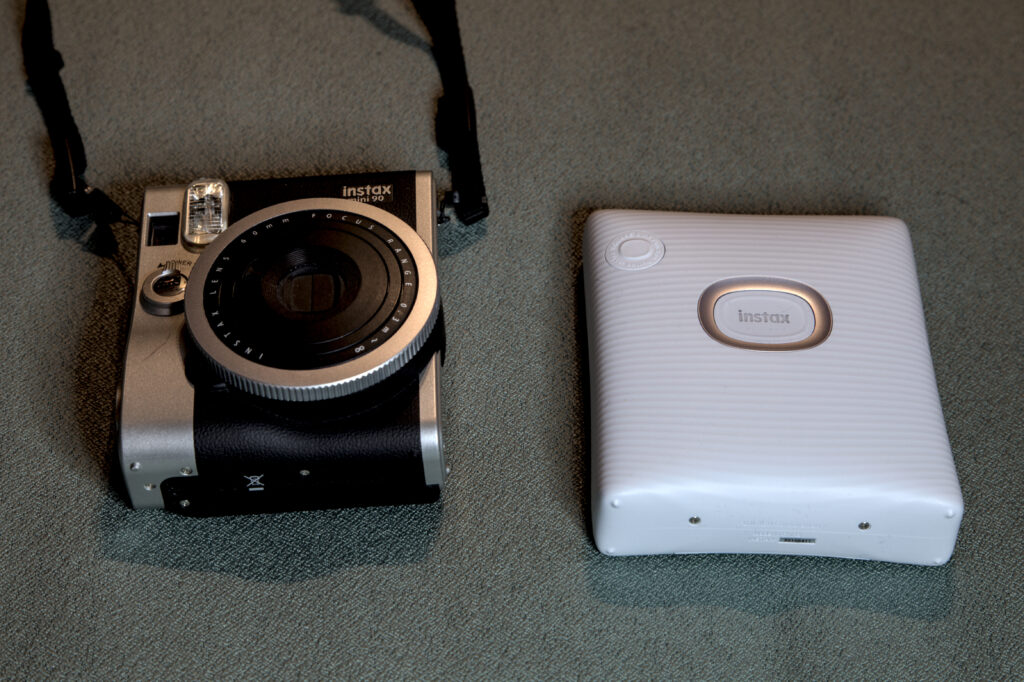
The printer is like a big bar of soap. It is still slightly larger than my Instax Mini 90 Neo camera, but that’s to factor in the difference in size of the film pack.

I has two buttons, large one having a LED to show the status, a large door at the back for the film cartridge and a small trap door hiding the USB charging port and a reset hole. The latter is for cases where the troubleshooting involve turning it off and on. There is no display, like for the number of frames left.

The Instax Square Link compared for size to an Instax Mini 90. Both are roughly the same size.
The Instax Square Link compared for size to an Instax Mini 90

The initial setup consist of charging the printer using the provided USB cable (or any USB-C cable for that matter) and a charger (not included); and loading the instax square cartridge. That step is exactly the same as loading you favourite Instax camera.

To turn the printer on, press the big button for a solid second, it will light up white. The colour will change to flashing purple when printing

Print job

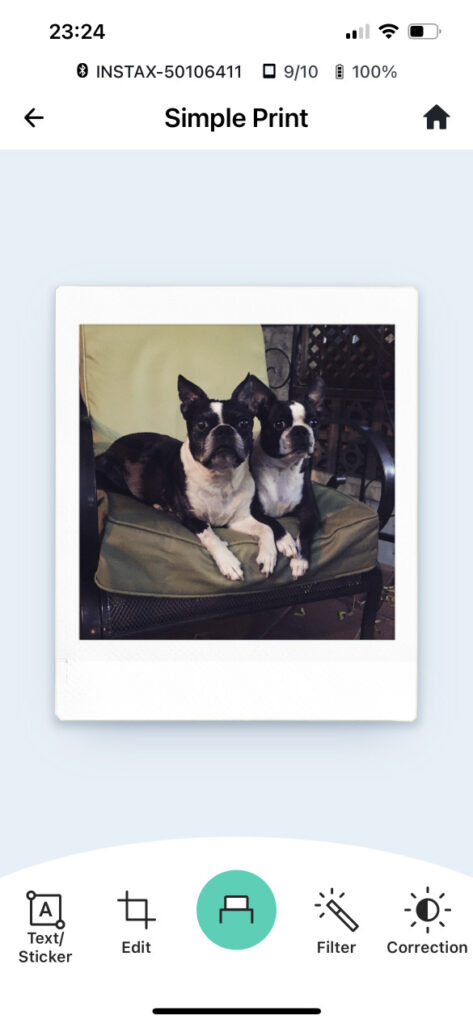
Screenshot of the Instax Square Link app

To use it you need a compatible smart phone (Android or iOS), install the Instax app and connect to the printer with Bluetooth. Within the app you can select images to print, and it’s fairly easy. There are other features within the app but beside the collage or frame print, I really don’t get it.

From my phone I printed a picture I posted a while ago on Instagram, works great. I also printed a picture I took recently directly with my phone. As long that the image is on your phone, you can print it.

Once you printed a picture, you can press the smaller button to reprint it, until the printer turns off. Otherwise you can use the application history to re-print later on. In some circumstance it doesn’t recollect the picture printed on the iOS app. This seems to happen if you use “share” to the Instax Link Square instead of selecting the picture from the application.

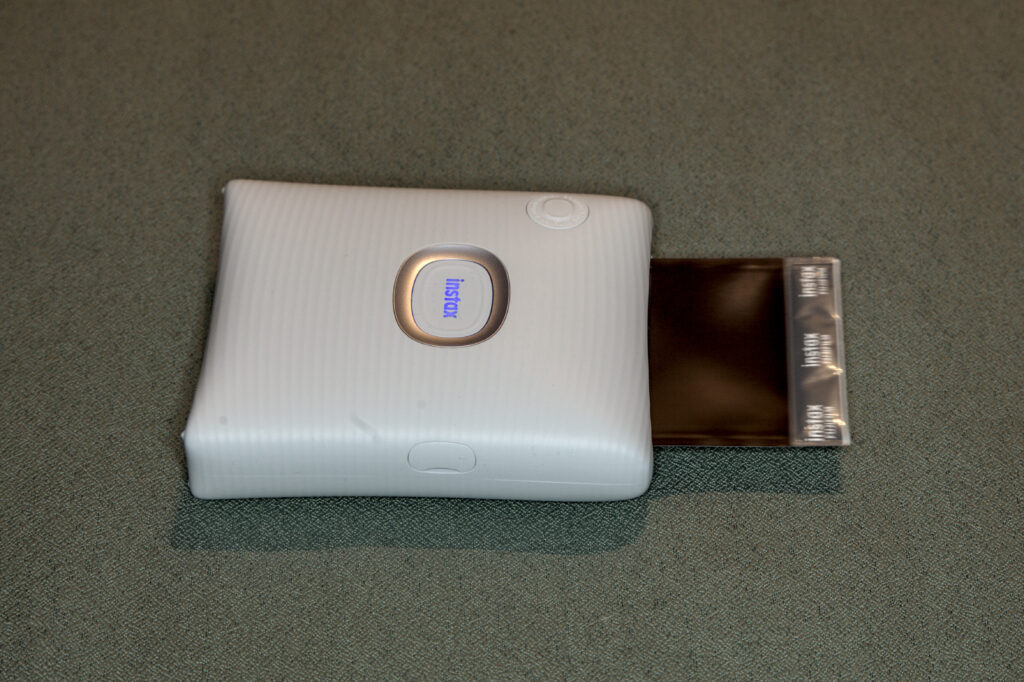
The Instax Square Link printer is ejecting the print with the picture face down.
The Instax Square Link ejecting the print.

Fujifilm manual state that the print takes 90 seconds to develop, but in my tests after 2 minutes it wasn’t developed.

The print facing is leaning against the printer. The image is not completely developed.
The print developing after 2 minutes.

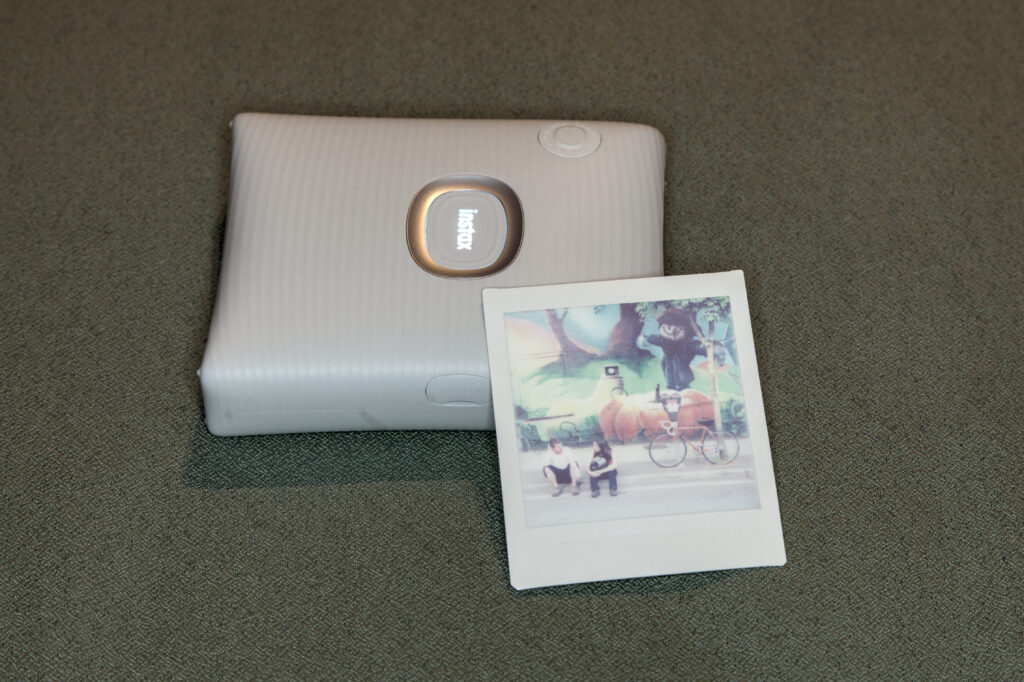
In the end you obtain a colourful print.

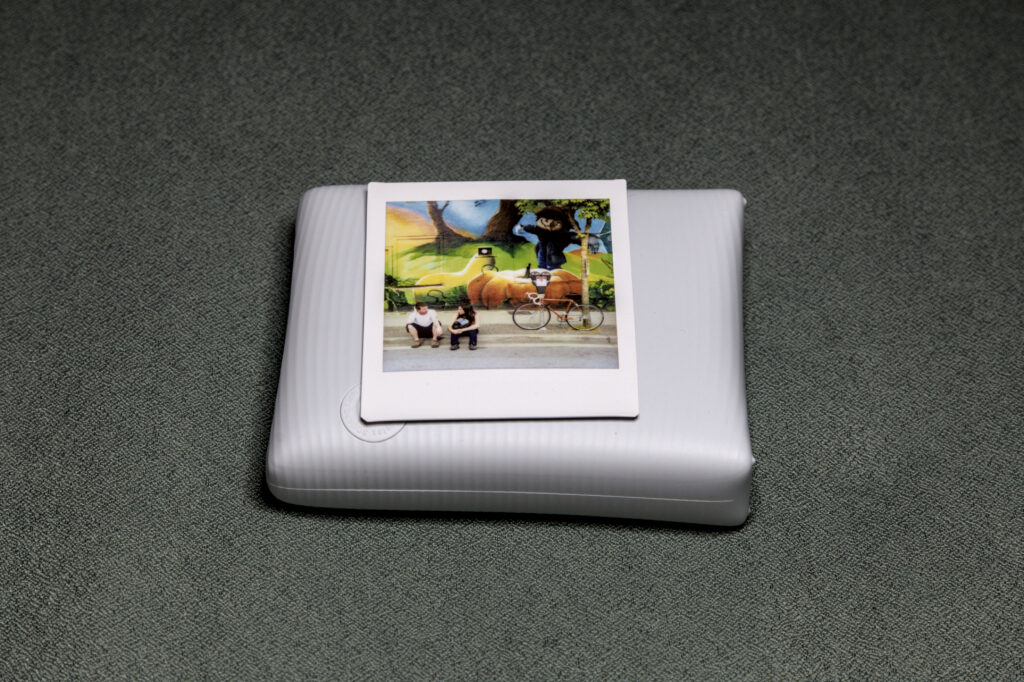
The colourful print is flat on top of the printer, fully developed.
Print from the Instax Square Printer

The output ressemble a lot to the scan.

Instax Camera

One of the feature in the app is the “Instax Camera”. It is basically the camera app to take the picture before printing it. It put the live view inside a small Instax frame. It allow adding the date time superimposed, printed as a 9 segments led display, another bout of nostalgia that the demographics of that device have no recollection of.

Cost

The printer cost CA$180 (I got mine on sale at CA$160). On regular price, it’s priced between the SQ1, the cheapest Instax Square and the SQ40 the more comprehensive model. It’s not gonna break the bank.

The 2x 10-pack of film with white borders was CA$28, and the single 10-pack of black border was CA$17. That make a cost per print to CA$1.40 for the white border and CA$1.70 for the black border. There are other colours a bit more fancy if you like. You can buy the white border film in bigger pack which bring down the price per unit. A 100 pack bring the cost down to CA$1.20 a print. Also while I can find Instax Mini at my local pharmacy, Instax Square is less common. This is to be considered if you need resupplies in a hurry.

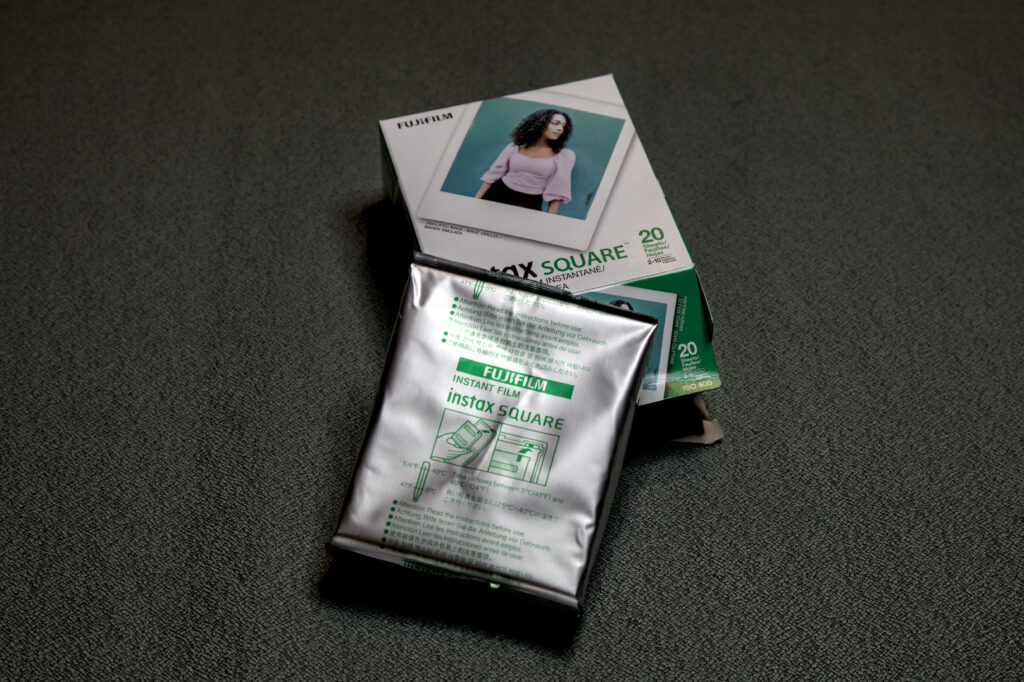
The tinfoiled pack of film leaning against the cardboard packaging that contain 2.
Instax Square film pack in its protective packaging as coming out of the box

Specs

The image size is a 62mm square (2.4in). The image printed is 800×800 pixels, which boils to 318 dpi. That’s a resolution similar to any print you got from a minilab. According to the manufacturer you can print around 100 pictures (that’s 10 packs) with a single recharge.

Verdict

Pros:

– Simple to use.
– Device reasonably priced.
– Battery powered.
– Output quality.

Cons:

– Requires a phone app, very limited interoperability.
– Unlike older models can’t be used from a Fuji-X camera.
– What will die first? The printing mechanism or its battery that can’t be replaced.

After thoughts

I enjoy using my Instax Mini but I’m often left off guard with the quality, and it seem all related to the optics on the camera and the exposure, with a limited dynamic range. It’s possibly part of the challenge. The printer demonstrate that the film rendition is good and that an hybrid like the Instax Mini Evo would probably offer similar results. Sadly the hybrid Instax Square SQ10 and SQ20 cameras that were in the earlier Instax Square lineup are no more so the search for a better image quality will probably need to be sought out of the other camare makers like Lomography, MINT or NONS.

Previously: NONS instant cameras

NONS instant cameras

I just learned about the NONS SL42, a SLR for Instax Mini film. It’s a US$399 camera, currently out of stock. It has an passive EF mount, a light meter and shoots Instax Mini film.

After reading a few reviews from Emulsive and Phoblographer, this feel it might be a winner. The camera has its quirks, but then the Fujifilm Instax also do, differently.

So why a NONS instead of the Fujifilm cameras? Controls, controls, CONTROLS!

The Fujifilm Instax camera only have auto exposure, some with “creative” modes. Also their lens isn’t very fast, stopped down at f/12.7. With the NONS you get to have much faster and interchangeable lenses. The passive EF allow Canon EF lenses (wide open only) and, with adapter rings, you can use Nikon F, Pentax K, Contax CY and M42 lenses. These adapted lenses offer a tremendous quality for an affordable price on the used market, and with the faster aperture the possibilities are broader..

You can read an interview of the team on phoblographer.com about the design of the SL42. It explain that the number 42 isn’t about the answer to life, universe and everything, but rather because the original plan was to release a camera with a M42 mount, the screw lens mount one used on original Pentax SLR and that other camera makers adopted. It also explain why the switch to EF mount, which is the mechanical mount that presented the best versatility in term of further adaptations, and the story behind the NFE (NONS Format Extender).

I was getting excited. It’s out of stock ; turns out it’s no longer made.

The good news is that NONS decided to followup with the SL645 and SL660 cameras. While the SL645 still take Instax Mini, the SL660 takes Instax Square. At US$499 and US$599 respectively they are a bit more pricey. These new models seems to improve a lot. You pick one over the other depending on the format you want to shoot. There is even a back for Instax Square to use on an Hasselblad CM.

The idea of a more sophisticated camera that supports Instax film isn’t new.

When the Polaroid was created, the goal was to offer instant pictures at a time where even 1 hour photo was a pipe dream. So much that today the term “Polaroid” is still commonly associated with instant photography, even though the company died and later was reborn. The process was used in various areas, from identity pictures, to test shots for exposure in the studio, to document reproduction or slide show preparation. The idea of using a Polaroid on an Hasselblad isn’t some sort of sacrilegious practice, it actually was part of the workflow. Setup the shoot, test the exposure with a Polaroid back and then once everything is fine go one with using the regular film.

Instax becoming popular, the choice of Fujifilm cameras is definitely in the space of consumer: inexpensive and all automated. So alternative started to appear. For example the 2016 MINT InstantFlex TL70 is a dedicated TLR that shoot Instax Mini and comes at US$399. Also Lomography has a range of Instax cameras supporting the Lomographic style, as well as Lomo Graflok, a back for large format. While relegated into a corner product category of what I would call novelty, they represent an incredible venue for creativity associated to the medium of instant photography, and fill the niche of photographers looking for a more flexible tool.

New Instax camera, new instax frames

Some new Fujifilm Instax.

The boring:

Instax Mini 40 is just another Instax Mini camera. A look reminding us of the Instax Mini 90 more than the other Instax Mini, but with little settings (4). For CA$130 it’s on the higher end price range. Still, nothing in sight for more serious photographers ; I see no reason to get one while I have a Mini 90.

The thing I can get behind:

Fujifilm also announced a new frame design for Instax Mini film. Frames are the novelty part of Instax Mini where you have frames around the picture that are not white. Black borders have been around, as well as other novelty for which I might not be their target demographics. This new contact sheet frame brings contact sheet film-like border, something the various “effect” phone apps have had. No sprocket holes, but the film name and a frame number printed in yellow. For once I can really get behind this novelty.

The latter come bundled with the former in a CA$140 bundle.

To be released April 21st 2021

Instax hack: Wide/Square adapter

Keigo Moriyama on Emulsive explains How to shoot Instax Square in an Instax Wide camera:

One of the characteristics of these [instant film] cameras is that we can choose only one format for one camera.

[…]

The adapter design is a really simple one. Just a few rectangular shapes extruded here and there to fit in both wide and square format.

Keigo then demonstrate the prototype in a video:

It’s interesting to see all the hacks around Instax cameras.

Instax hacks

PetaPixel has two articles about hacks on top of the Fujifilm Instax instant camera.

An Instax Camera with the Leica M lens: a prototype using the SQ10 as a base, where the M lens mount replaces the lens, to produce square images. The hybrid model of small sensor and Instax printer make this work, as the coverage of an M lens is insufficient for even Instax Mini. Still the image quality is seriously limited by the quality of the sensor and the “printer”.

Combining a Hasselblad 500 and an Instax Mini 9: the Instax mini act as a film back for the Hasselblad.

We were really happy with our first tests. The full frame of the film is exposed and the images are sharper than we’ve ever seen on this type of film. There are still a few ongoing issues with light leaks and with focusing because of the slight difference in focal plane length.

Interesting to see the creativity in that area.