Lomography just announced the Lomo72 half frame camera, a CA$99 half frame 35mm camera, with a glass lens. It remains a fixed aperture and single shutter speed camera in the style of Lomo, but the 27mm glass lens offers a better quality than their cheaper offering in half frame. Focus options offer two different zone focusing settings. The half-frame format bring 72 24x17mm vertical frames, hence the name Lomo72.
How I Fell in Love with Film — From 2020, someone discover film photography after being pushed (by the vendor) to get a camera body when purchasing a vintage Russian lens.
Fujichrome MS 100/1000 – Irresponsible Pushing — Once upon a time this was the fastest slide film, designed to be pushed to EI 1000. At the time when the fastest slide film was 400. But stock that expired in 2002…
Digitising film is the process of turning a film photograph into a digital image, with the best quality. Here we will put aside scanning prints and instant pictures to stick to digitising film, positive or negative. Also, not considered here is motion picture. We’ll only deal with stills.
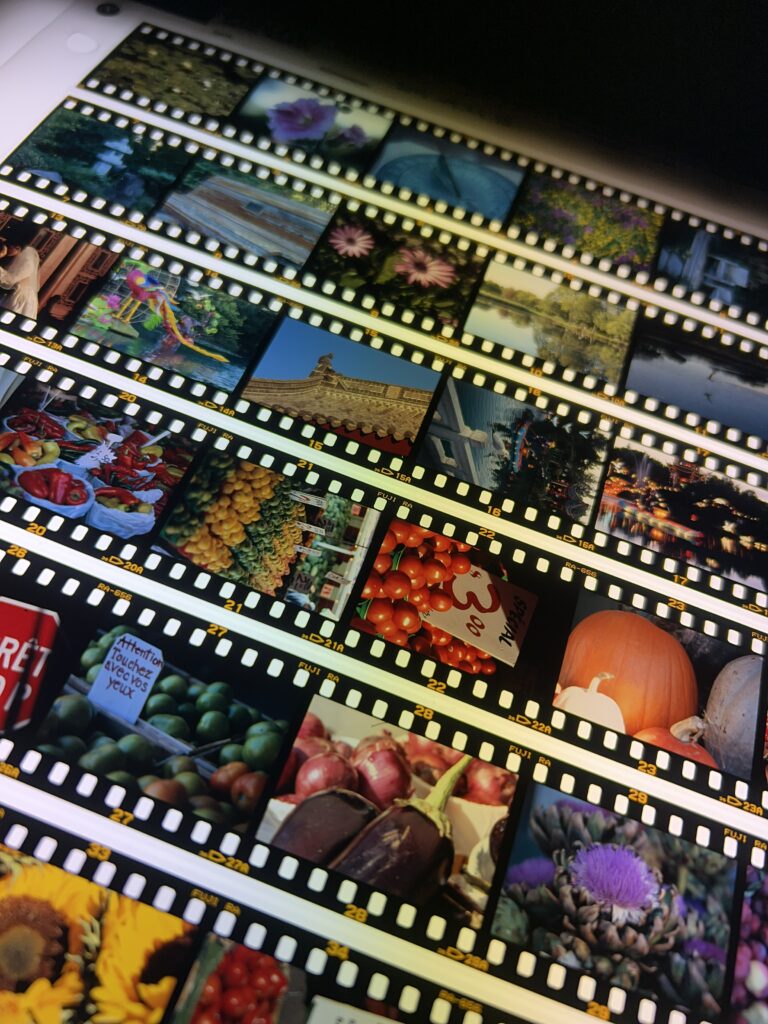
Strips of slide film on the light table.
At the lab
When processing film today, you can always pay extra for having the film scanned. This usually double the cost of processing but what you get is a high quality scan, albeit not always the highest resolution. Some outlets that should be avoided, actually never return the negatives and will provide you scans to download. If you want to scan already developed film (your existing archive) the prices is IMHO too high.
Pro:
– Reasonable cost at development time.
Cons:
– Only at development time.
Cheap Film Scanner
If you scout your favourite photo store, or even consumer electronics, there are many “Film Scanner” that work for 35mm film, slides and other consumer formats like 110, 126. The prices range for CA$60 to CA$310. They come under various brands, including Kodak Slide N Scan (it’s Kodak, it must be good, init?) and HP (yes the same company that extort money for ink cartridges). They present themselves as a relatively compact device with screens of varying size, and a feeding system either accepting strips or holders or both. They work by backlighting the film into a camera, and the JPEG are stored on a SD card that you can then load onto you computer either with a card read or a USB cable. How much you can adjust depend on the device, but in general it’s not much: basic colour correction, inversion (for negatives). These devices are really designed to be simple to use, geared towards people that want to digitise the family pictures. The quality is average at beast and the film holders are flimsy.
And here is the secret: they are all based on the same inexpensive camera, a 14 Megapxiel native sensors, while all vendors try to claim it’s 22 Megapixel by extrapolating (that’s making shit up). And you can notice across brands they all look the same. Sometime the only difference is the screen size and a few rounded corners.
You get what you pay for, and in general there is little quality difference between the CA$60 and the CA$310 machines.
Pro:
– Inexpensive.
– Easy to use.
– Works by itself (ie no need for any specific software).
Cons:
– Poor quality.
An even lower cost setup is built with just a mobile holder with backlighting to mount your smart phone camera. Everything is done using phone camera and the app. Fundamentally the phone camera is about the same quality, or maybe a little better, still limited to the mobile app. These go for CA$30 to CA$50. Kodak even has 2, including one that work for 6×6. Technically you don’t need the app, but it offers built-in processing. The iOS app store has a few stand alone apps, with varying quality. Regardless pick the holder, pick the app.
Pro:
– Even less expensive.
Cons
– Poorer quality
– Require to use your phone and an app.
Flatbed
Flatbed film scanners are a bit more expensive solution, but with better quality and versatility. It’s mostly Epson, and CA$300 is a starting price for a decent machine, but the top of the line goes for CA$2500. I have an EPSON V600, which is on the low end of the prices, and it does give decent results.
Often the provided film holder are flimsy, but there are options like Lomography Digitaliza that improve even the scanning quality.
Pro:
– Better quality, more formats (some allow up to 8×10)
– Works with a modern computer.
– Can also be used for prints.
– Dust removal options.
Cons:
– Not always as sharp.
– Slow.
Desktop film scanner
Desktop film scanners comes in two categories: legacy and modern.
Legacy include brands like Polaroid, Minolta, Canon and Nikon. The one with the best reputation are the Nikon Coolscan, where the latest models used USB or Firewire, but Nikon stopped making them 20+ years ago and the software situation is dire: proprietary hardware with proprietary software lead to planned obsolescence. The most recent Nikon are still quite expensive on the market, and for Mac, the software requires a machine that was last sold in the 2010.
Plustek and Pacific Image are two modern options.
Plustek has a range of scanners for 35mm film with 7200 dpi resolution and one lone machine that support 120 film at only 5300dpi. And they are all ripe for enshittification as the software has a separate price tag. Starts at CA$510.
Pacific Image has a smaller but more varied range of devices, one supporting 120, and other supporting batch and panoramic formats in 35mm. Starts at under CA$600.
None supports Linux, but VueScan (more money) might.
Pro:
– Good quality.
– Dust removal options.
– Some batch scanning options.
– High resolution (up to 7200 dpi, but is it native or interpolated)
Cons:
– Legacy require legacy PC.
– Base price higher than flatbed.
– Very few options for medium format (maximum size is 6×12).
– Can be slow.
Pre-press and lab tech
Now we are entering the realm of expensive and obsolete equipment. The obsolete part isn’t because it doesn’t produce anything useful but rather because the vendor stopped supporting the proprietary hardware and software triggering a planned obsolescence. There are 4 families of machines here that you can find on the used market.
The first 3 are part of a minilab setup, something you are likely to see at your photo lab.
– Pakon.
– Fuji Frontier
– Noristu.
The Pakon is a scanner for 35mm film (135) that was found on Kodak minilab system. It requires a Windows XP PC to run the software that itself is also hard to come by. Of the three they are probably the least expensive machines, and the most compact. It’s principle of operation is to scan the whole strip as a stream and then have the software slice and dice into frames.
The Fuji Frontier has its reputation to call for it. The machine is bulky (most comes with their own table / cabinet), requires a dedicated PC running a 20 years version of Windows, and its mode of operation is designed for quick operation in a photo lab environment. The dedicated keypad allow quickly applying corrections, and scanning a whole roll of 36 exposure takes a few minutes. Usually this machines were integrated with a printer to produce the prints for 1 hour photo service. The scanner also support medium format, and there is enough of them that you can still get maintenance technicians. An SP-3000 goes for CA$6000.
The Noritsu is the third machine and much like the Fuji Frontier in many aspects. It is a little smaller as it is a desktop machine, but that’s marginal: you just don’t get to have it bundled with a cabinet. One thing Noritsu does better is that it runs on a more recent Windows 10, and the software seems to still get support, albeit not sure of the cost. It’s definitely easier to get a system up running. Hammish Gill over at 35mmc seems to have painfully setup an LS-1100, it took him a year including repairs.
Both the Noritsu and the Frontier command similar prices for a similar use case. All the magic happen in the software, specifically tuned for film, with negative inversion and other adjustments, and in the hands of the operators. The difference in results is a matter of taste, mostly in the area of colour and contrast where the Noritsu is warmer, and the Frontier is cooler. They are system definitely build for productivity: scanning as fast as you can, with a resolution tailored to output print format rather than absolute DPI.
Pro:
– High quality.
– Fast.
– Medium format supported on some models (Noritsu HS 1800).
Cons:
– Expensive.
– Obsolete software and hardware.
– Bulky.
– Not that high resolution.
The fourth one here is Imacon (later Hasselblad) Flextight virtual drum scanner. These come cheaper to acquire than a Frontier or a Noritsu, but they are definitely much much slower. The connectivity and software are probably as obsolete as the others. This is the kind of scanner you’d find at a pre-press bureau where you’d max out the resolution for the few selected images to add to the publication to print. They have all the disadvantage of desktop film scanner, with lot of the disadvantages of the lab scanners. The only plus is that they support large format film, which only the flatbed can tackle. There are great to do a high resolution scan of one of these image you have a lower resolution version of.
Pro:
– Highest quality.
– Almost format supported.
Cons:
– Expensive.
– Obsolete software and hardware.
– Bulky.
– Slowest.
Camera digitisation
Digitising film with a camera. This is also called DSLR scanning, which is a total misnomer as most people may not use a DSLR for that (you can, it’s not a problem though), and it is not scanning either. It’s about the process of using a camera to turn a film photograph into a digital image. This method has become popular as it probably is the best quality vs price setup you can build, and is mostly faster than traditional desktop scanners. The setup price can vary, usually the high cost is the camera with the macro lens, the latter being a major factor for the quality.
With the lab scanners being horrendously obsolete, and film scanners being poorly supported, camera scanning seems to be a good idea. Photographing a photo isn’t a new concept. Back in the days, there were slide duplication rigs using a SLR: a macro lens, bellows, a backlit holder and some neutral “duplication” colour film. The principle is the same, but instead of a purpose film, you use the camera sensor.
This is the solution I’ll move forward with for myself. It’s not too expensive, and doesn’t require some obsolete software stack I already hated back when it was current (the distortion of being a software developer by trade).
There are multiple ways to set this up, from very do-it-yourself to off the shelf, the latter being a new addition to the market. Beside the camera and lens, the investment can be minimal. What you need is a proper light source (I do have a lightbox), something to hold the camera like a tripod, and eventually something to limit environmental light to interfere, that can be build with black cardboard or construction paper. It is essential that the focal plane be parallel with the film, and the latter must be flat. For that purpose several vendors offers film holder that you can combine with a copy stand.
Interestingly Nikon has the ES-2 Film Digitising Adapter Set, which while specially fitted for Nikon D850 and D780 DSLR, is just a bunch of film holders, backlight and tubes, for CA$200. JJC equivalent, but more universal, is about CA$90 and CA$130 if you add the built-in light. This represent a simple, portable and inexpensive setup. At the higher end, the VALOI system represent the pinnacle: film dust cleaning, film feed, everything to make the process faster.
Pro:
– High quality.
– Faster than most desktop film scanners.
– Any format, really.
– Setup cost can be low.
– The most flexibility in software.
Cons:
– Can be bulky.
– Can take time to start a session if you don’t have a dedicated camera and len.
– Price can be steeper for larger format or faster workflows.
– Can be very DIY.
About the resolution
Film lab scanners are optimized for speed and printing with the best possible automation for baseline accuracy. The Noritsu official specifications show that a 120 film it doesn’t provide bigger scans, quite the opposite: it’s about the printing output. A Fuji Frontier minilab prints at 400dpi while a Noritsu prints at 300dpi, so these are basically the targets based on printing size.
Similarly, a camera digitisation rig resolution will be limited to the resolution of the camera sensor minus the margins, with the quality being also tied to the lens. This is a similar constrain as on the film lab scanners: the bigger the film, the further away the camera is, and the pixel count doesn’t change.
Thanks to Nikon, Canon’s Closed RF Mount Could Be Forced Open — An explanation of why Viltrox doesn’t produce Nikon Z or Canon RF lenses: these companies are trolling with patent. Nikon’s got invalidated in China though. When you can’t compete, you just bully.
Harman Phoenix is back as an 125 ISO film. Currently only in 35mm, it is just the original Harman Phoenix (not Phoenix II) in a new packaging, DX coded to 125 ISO. The new ISO is based on feedback from photographer that it looked better exposed +2/3 stop. Will also be available in 120.
Another change is that officially it can be processed in E-6 or ECN-2.
I have just gotten my only exposed roll of Phoenix back from the lab. More later.
Did you know that every Pixii camera can record B&W DNG files? (the story of how an engineering tool accidentally became Pixii’s most-loved feature) — The Pixii is an interesting camera on many aspects with some design choices I consider terrible (this is not one of them). I’d love to get my hands on one.
I Shot a Rare Film Emulsion That Sold for $5,000 — Beyond the totally clickbait headline, this is about shooting the discontinued Fujifilm FP100c peel apart on a Polaroid 180, and using the negatives.
For a while I have been looking at which Nikon manual focus camera I should get, as I don’t own any Nikon. Turns out most filmfluencers that have one, have a Nikon F3. Here we go, I just got a Nikon F3. It feels like I got it for a good price, for what was one of the top Nikon 35mm SLR when it was released on 1979. It came with the period incorrect 2002 Nikkor AF 50mm 1.8 D which works fine with this camera. My specific camera was built in 1981.
A Nikon F3 with a AF 50mm f1.8 D
The Nikkor AF 50mm f1.8 D that came with it is an autofocus lens with aperture ring and released in 2002 is an inexpensive but among the sharpest lenses. The nifty-fifty.
Now I need to understand what the various Nikon F lenses are. At least with Canon it’s simple. FL -> FD -> FDn. The latter two are interchangeable and FL is compatible with FD cameras using stopped down metering only (as FL doesn’t have aperture indexing), but not the other way around. The complexity of the Nikon lenses designation is also why that 2002 autofocus lens works great with the 1979 manual focus camera. Unlike Canons where EF lenses never were compatible with FD bodies (not even physically mounting).
I will talk more about it later after I shoot a roll of Kodak BW400CN that I pulled out of my freezer (bought in 2011 for U$5.25, it expired 03/2013) as it still is black & white July.
A great introduction to shooting panoramic on film. It’s not about stitching, it’s not about digital. It’s about 35mm film and various types of cameras. From the Fujifilm T-X1 / Hasselblad X-Pan, shooting natively 24x65mm, to the compact point and shoot Minolta P and Rioch R1, that crop inside a 24×36 frame, by way of the Horizon, Noblex and Widelux with their rotating lenses. What all these cameras have in common is that the image produced is panoramic, ie with an aspect ratio larger by 2:1, and that it is either covering the whole film, or masked ; you don’t crop in post processing.
The article goes on a complete comparison of field of view, aspect ratio, viewfinders, etc. This is all about what the writer has personally used, still favouring the Fujifilm.
I mentioned the WideluxX a fewtimesalready. The WideluxX is a revival of the Widelux rotating lens panoramic camera, by SilverBridges, a venture between SilvergrainClassics and Jeff Bridges. Yes, that dude.
It is now available for pre-orders, and the price is CA$6020 (+ taxes) or €5200 (incl. VAT). At the time of this writing, there is only 60 left of the initial production run of 350.
For those who think it’s overpriced, I think I have to disagree. It is made in Germany. It is a complete redesign of the Japanese made Widelux with the aim of being of solid quality. A Leica M6 new cost more, without lens. It’s also a unique camera: while there were in the past a few different manufacturers of rotating lens panoramic cameras, but this is currently the only one making them.